Oh, Dear!
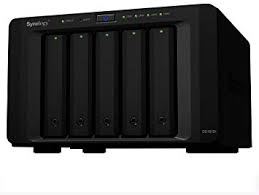
After a power down while I did some electrics around the house, my Synology DS1515+ NAS Drive decided it would not start.
To say that this was annoying would be an understatement!
I first restored the backups (made to an external drive) to my DS1517+ NAS, where I usually have my “Lab Projects”, whilst my DS1515+ NAS has been my workhorse, keeping my local files backed up.
This was pretty straightforward, so within a couple of hours, I had all my services and files online and available again.
What Can Go Wrong?
So now I had an almost dead Synology NAS on my hands.
But this NAS drive is quite a powerful little thing and has 16GBs of RAM and a quad-core processor (even if it’s an Atom), so it’s worth fixing.
So, first things first, let’s look through the forums and find out the common issues with this drive model. After an hour or so of research, I found the most common three things to fail on these drives.
- Dead BC847B transistor
- Intel Atom C2000 Bug, which you can fix with a 0.25W 100 Ohm resistor
- Flat CR1220 Coin Battery
(I don’t have an Amazon affiliation, but if you want the parts quickly, you can order all of the parts and it will cost you about £12 delivered, but you will get ten transistors and ten resistors)
Start Fixing!
Remove the Case Lid and the Back fan panel and free the motherboard.
- Remove the five screws that hold the lid on.
- Remove the back panel (two silver screws underneath and two black screws on the back).
- Unscrew the six silver riser screws to allow the motherboard to be unplugged from the daughterboard.
Here are the three areas of the motherboard that you will need to work on.

So as I approached the issues in the order of likelihood that I would fix the issue, I switched out the transistor first!

This, however, did not fix the problem 🙁
So I performed the resistor fix, which solves the Atom C2000 bug

Solder the resistor between the first outer pin-hole and the 3rd inner pin-hole in the 2nd row.
This did work and brought the system to life.
However, whilst I was in there, I changed the battery too!

I’ve migrated my “Lab Work” to the DS1515+ and promoted the DS1517+ to my “workhorse”.
Now I’ve got nine transistors and nine resistors left. Maybe I should buy some junked DS1515+ NAS Drives from eBay to add to my collection?

Update.
- If you have the transistor issue, you will have a dead NAS unit that shows no lights at all and will not respond to having the “On Button” pressed.
- If you have the Intel Atom C2000 bug issue, you will get a flashing blue “On Button” light and a continuous flashing yellow alarm light!
Knowing this, rather than doing ALL the work (which takes about 10 minutes longer), will have you order the correct components and save you some money
I hope this helps someone.


